
Control Software for Milling System
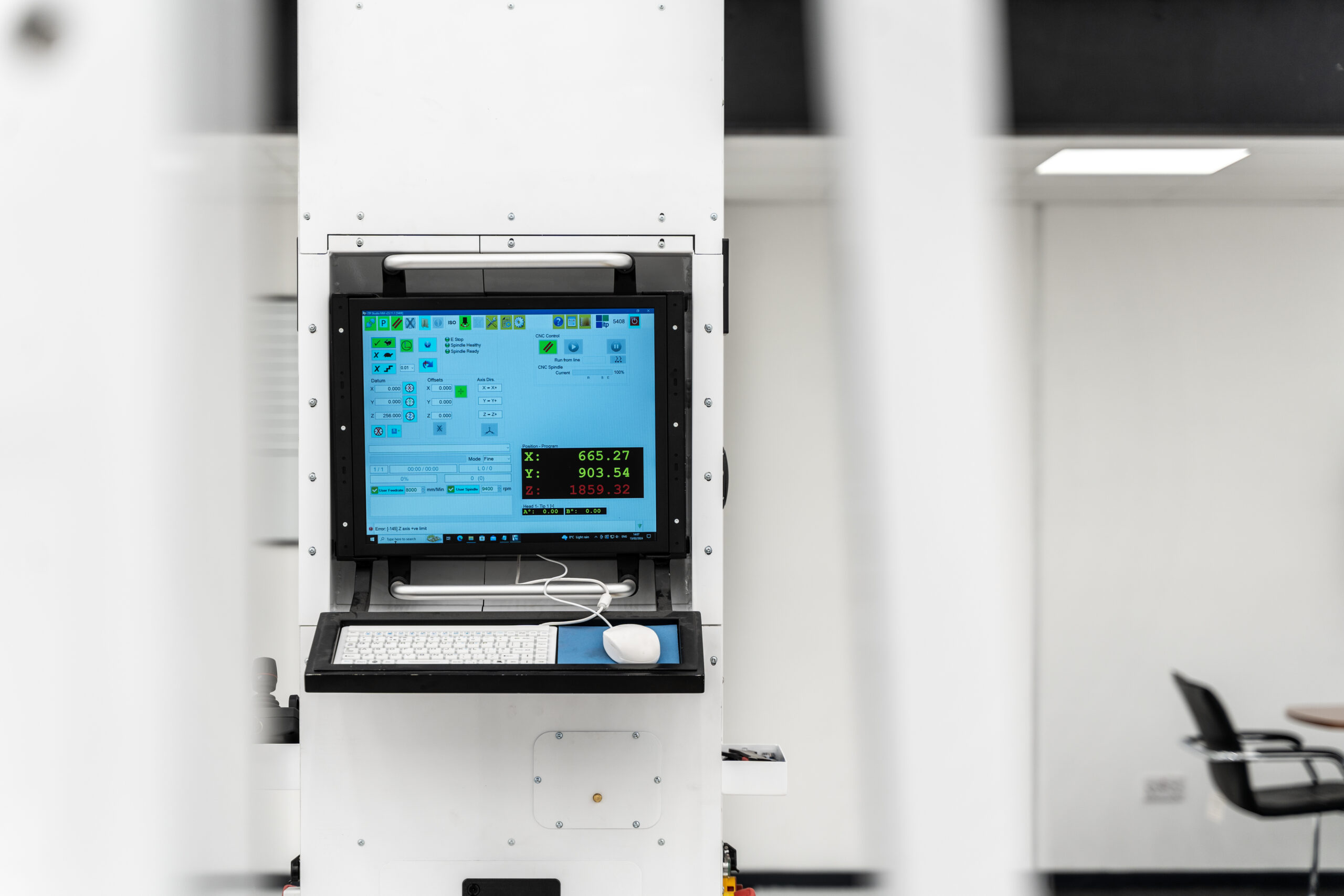
Software developed with feedback from existing studio users, with unique features not available on standard milling systems that exclude the complexity of standard milling software interfaces.
Studio Mill is used to control the ITP range of milling systems.
Software developed with feedback from existing studio users, with unique features not available on standard milling systems that exclude the complexity of standard milling software interfaces, but still leaving all the functionality required for studio model production.
The system’s ease of use and compact design reduces training time to less than 1 day and alleviates mistakes.
Main Features
- User-friendly display with large colour coded icons for ease of use in studio. Icons disabled when not available, with balloon tooltips on all buttons and dialogs. Integrated Help, easy to use, initial training period just 2 hours
- Accepts CNC programs generated from most CAD CAM packages eg Work NC, PowerMill, Tebis, Unigraphics & Catia
- CNC programs are checked for errors, machine boundary infringement and entirety before execution.
- 3D joystick control with axis locks, reverse operation, normal mode, slow mode and micron step mode for exact positioning
- Joystick control of program run, pause, resume, datum set & feedrate override for control ‘at the model’
- Manual Control allowing spindle On / Off, XYZ jog, XYZ park & XYZ move
- XYZ Axis directions and assignments can be set as required eg +X +Y +Z ® -Z
- +Y –X to allow for optimum part
- Datum set in X / Y / Z axis to input values.
- Toolsetter option for input free tool angle changes on manual & 2 axis heads
- Program XYZ offsets can be adjusted during program run to correct for misalignment.
- Cycle Pause / Start controls with spindle motor off during Cycle Pause
- User feed rate & spindle speed overrides
- Programs can be started from a specified line to allow for part run of programs and recovery from collisions.
- Program run backwards option.
- Program run forwards & backwards option to clean model after cut.
- User selectable surface finish modes – Fine / Semi / Rough
- Program status display showing : – part run duration sliding scale, run duration and time left, current line and total lines, max and percentage feedrate, max and percentage spindle speed, previous / current / next line and distance to go
- Disable motors mode to allow manual datum setting.
- Spindle load monitor to slow feed rate when model ‘over clayed’
- Spindle stall monitor to protect CNC machine and model
- XYZ axis program search facility to find program start position.
- Spindle start / stop delays for smooth operation.
- Create Drill Program option to create a drill program from a curve in IGES / Text point file.
- Mirror / swap axis / skim program utilities
- 2 axis head option to allow cutter tip orientation during / between programs.
- Remote feed rate control option to allow machine operation outside safety barrier.
- Password spindle operation protection option for open studio environment
Contact our Studio Mill Software team directly
Contact our Studio Mill Software team directly